
Psst,it's time to steal the moon
Full-screen calendar reminders for ADHD and time blindness.
One-time $29 to keep · no subscription
On your desktop
The event finds you.
Hyper-focused? Make sure you're never the one keeping everyone waiting.
Takeover, or a gentle nudge
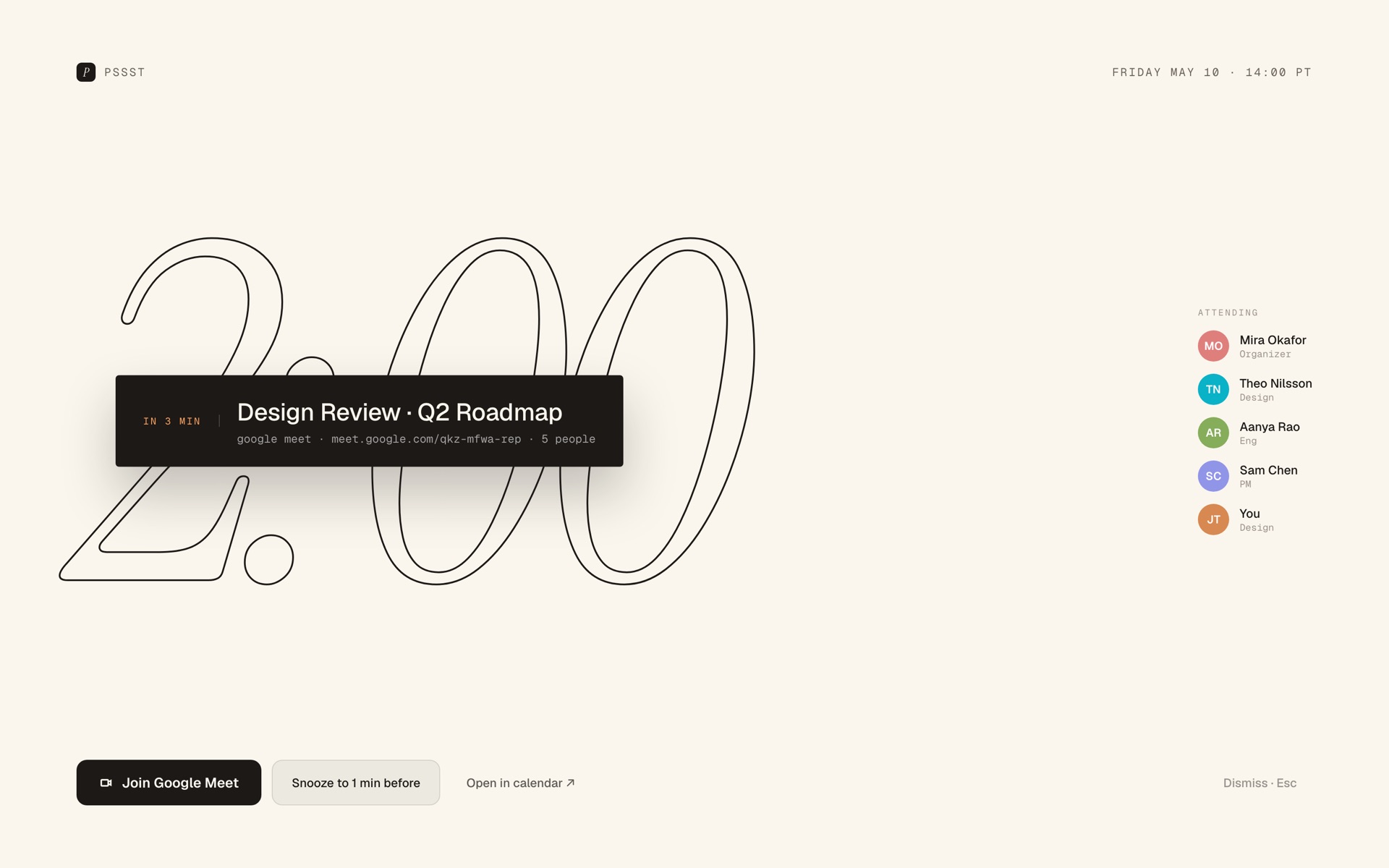
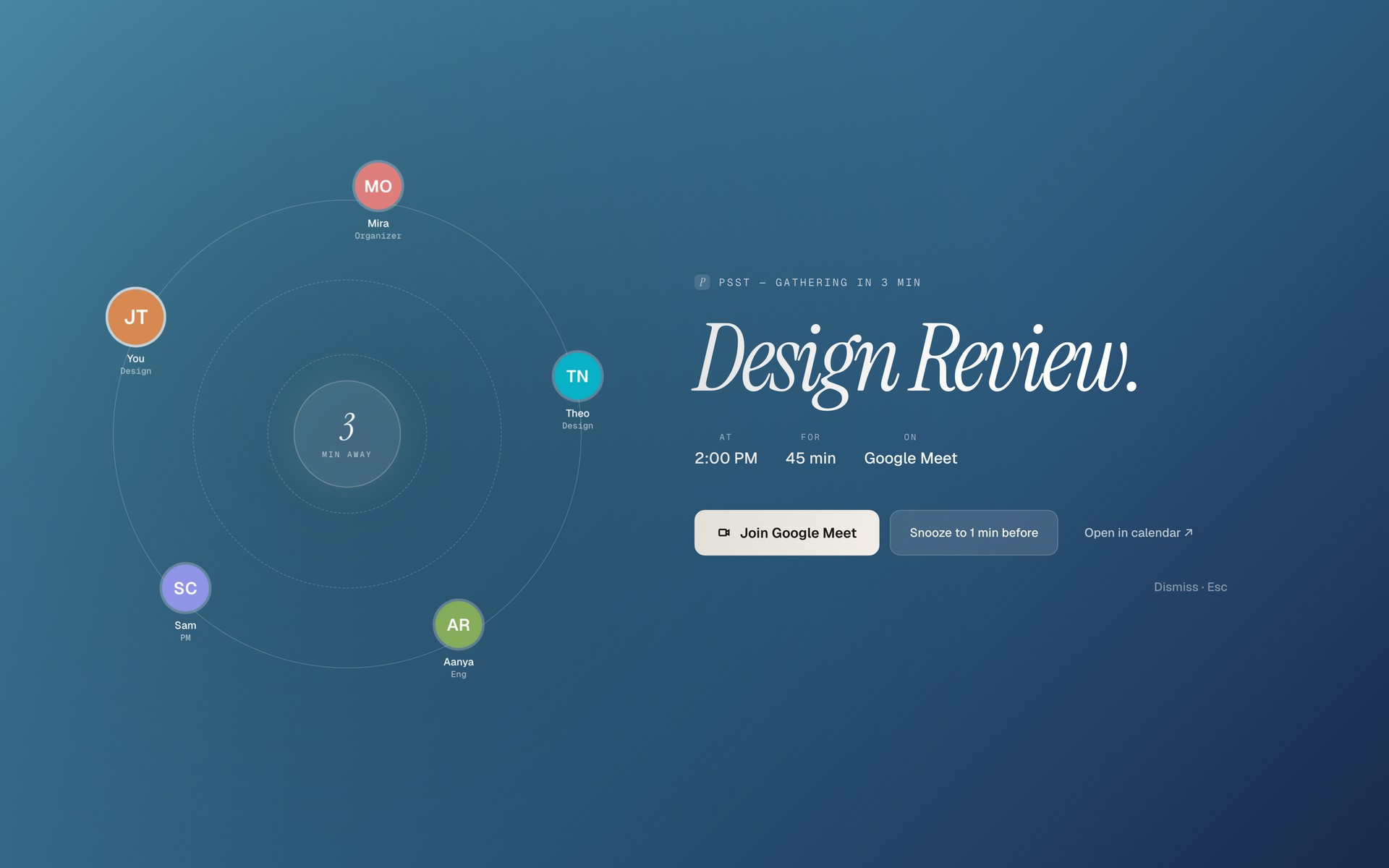
Minutes before a calendar event your whole screen can become it: the name, the countdown, who's coming, a one-click join. Rather keep working? Overlay mode floats a paper plane, or Bartholomew the desk cat, over your work instead. Unmissable, either way.
How it works
Three taps. Then never late.
Connect your calendar
Link Google Calendar in a tap. Read-only, cached on-device.
Choose your warning
A full-screen takeover, or a floating overlay over your work. Set how many minutes' notice you want.
Show up on time
Psst stays out of the way, then makes the next thing unmissable.
Reminders with attitude
Subtle isn't really our thing.
Psst can break the news like a bulletin, clatter it across a departure board, skywrite it on a passing plane, even ransom your next 45 minutes.
Six playful styles · set one per calendar, or shuffle · all fully animated
Prefer it understated
Or keep it elegant.
Six calm, classic layouts and eight backgrounds. Or drop in your own photo.
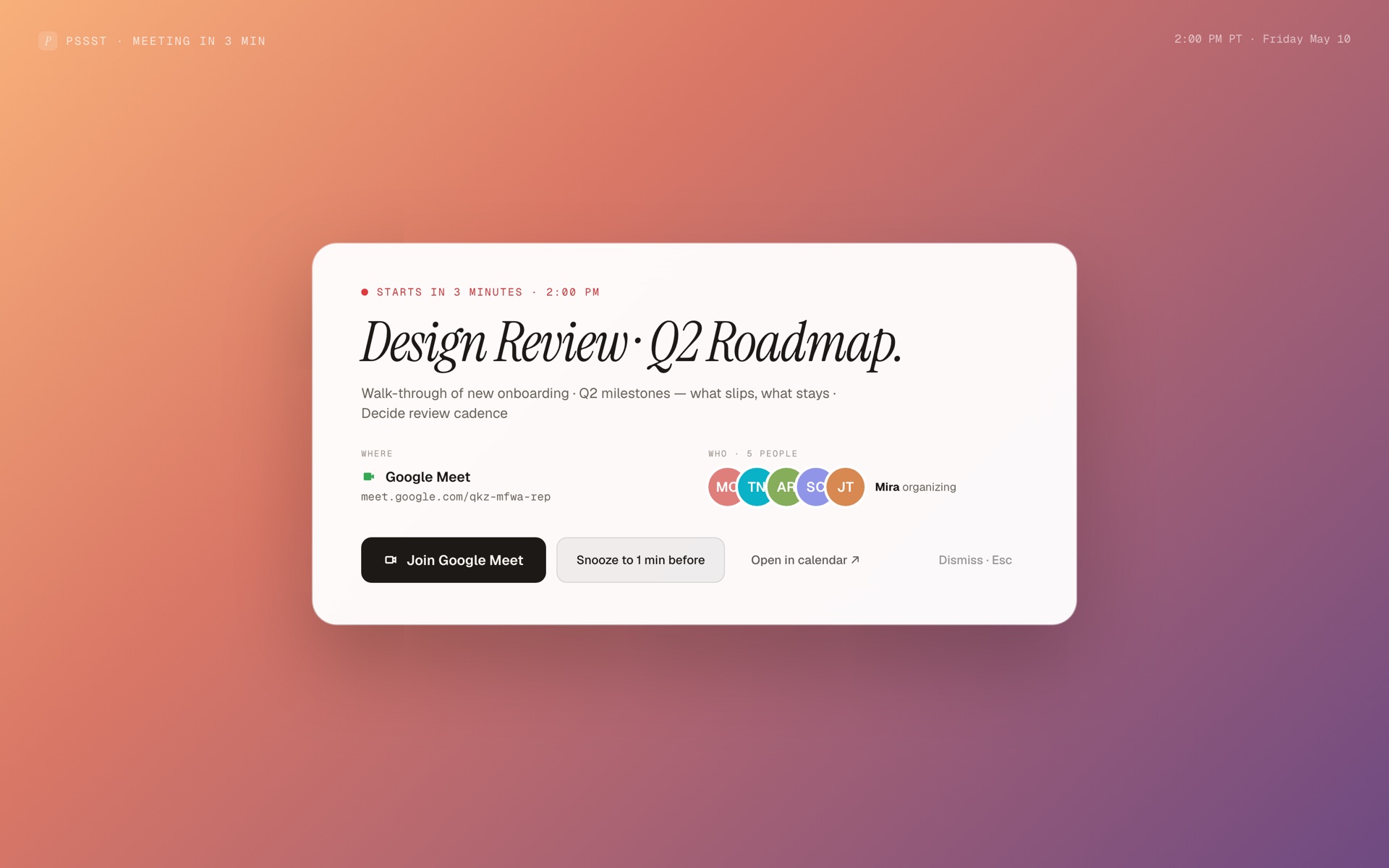
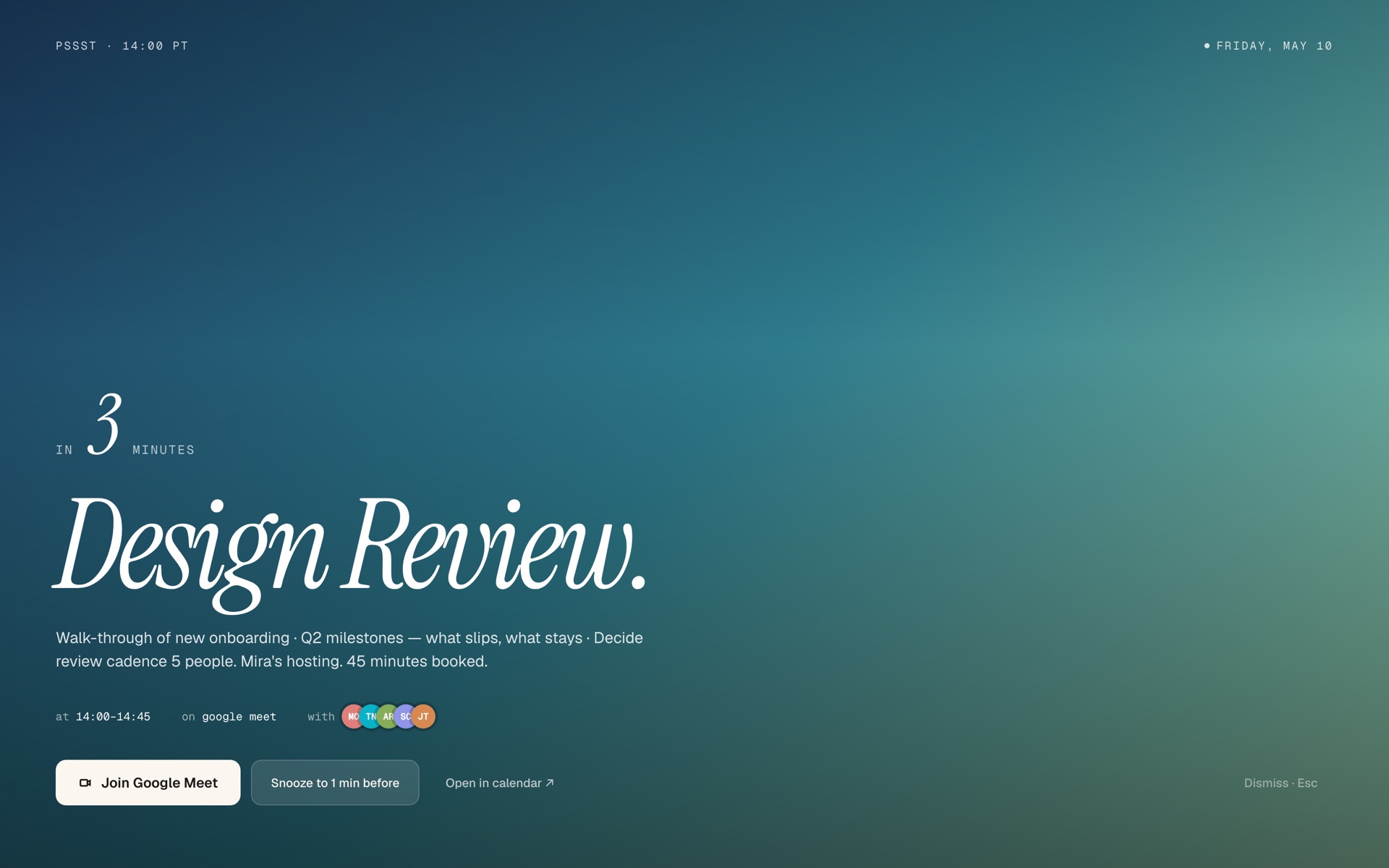
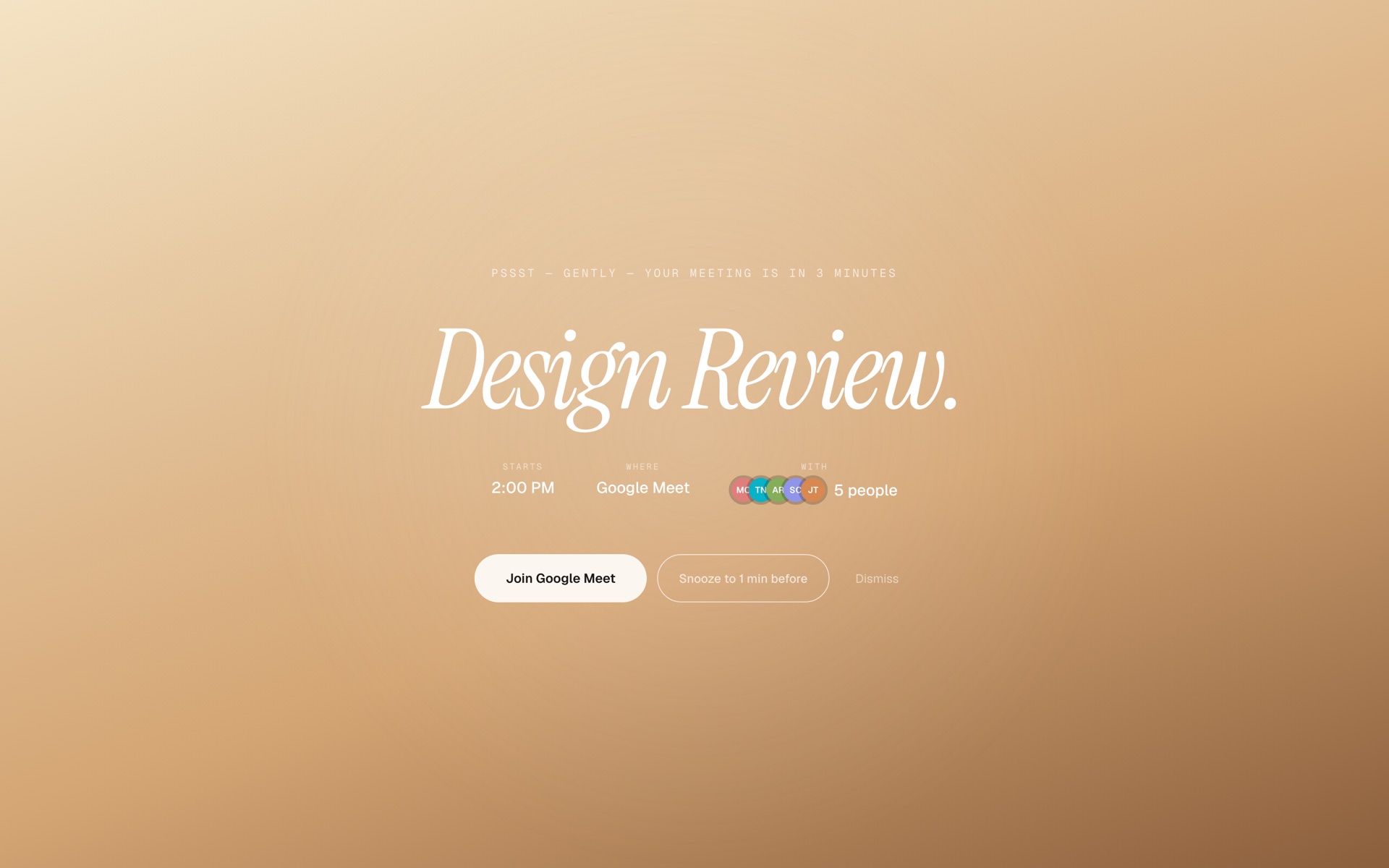
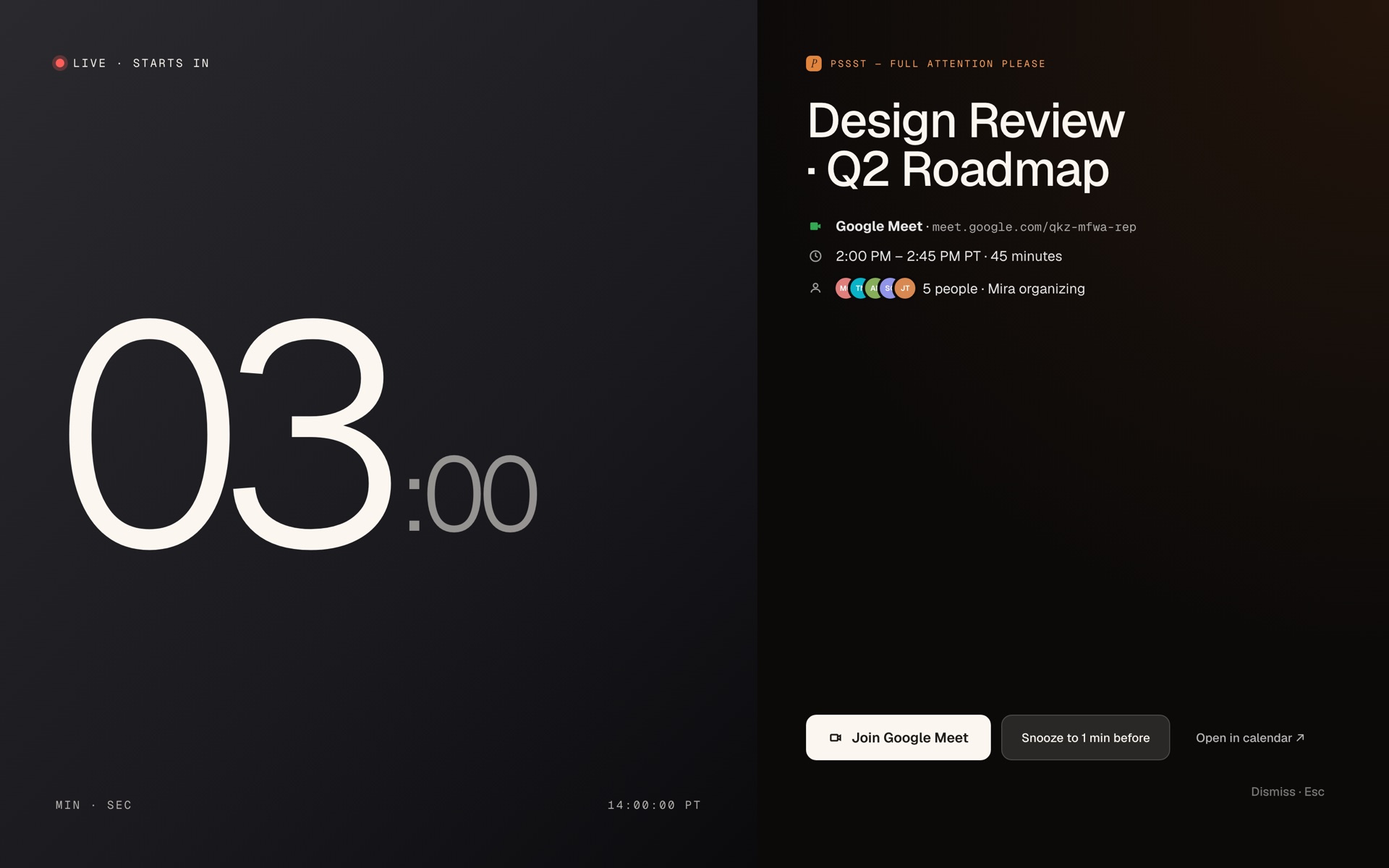
New · Overlay mode
Or don't take over the screen at all.
Pick your messenger: a paper plane that glides across towing the details, or Bartholomew, your desk cat, peeking up from the corner with a little sign. Try both below.
Pricing
One price. While it lasts.
When early release ends, Psst switches to its official pricing, subscriptions and all. It looks like this:
While Psst is in early release, every style and every future update is one flat price:
Lifetime · one-time purchase
- Full-screen reminder before every meeting
- All 13 alert styles and every theme
- Unlimited calendars, on every Mac you own
- Every future update, including everything the subscription era gets. No 2.0 upsell.
Early buyers only: your account wears the Founding Supporter mark in the app, forever. Never sold again, at any price.
Set up in two minutes · unlock for $29 before the official pricing lands.
Secure checkout by Stripe · Instant unlock · The early price is yours forever
Roadmap
Shipped. Shipping. Next.
Psst is built in public. Here's the trail so far and the road ahead, all part of one license.
Everything on this roadmap, shipped or planned, is included in the $29 early-release license. Buy once, get the whole road.
Questions
Good to know.
Will you keep updating Psst?
Yes. I use Psst every single day and rely on it, so it is not going anywhere. My goal is to build the most beautiful full-screen way to interrupt your workflow that exists, and I keep making it better.
Is Psst good for ADHD or time blindness?
Yes — that's exactly why it exists. Psst is built for ADHD and time blindness: instead of a notification you'll swipe away and forget, it gives you a full-screen calendar reminder that takes over your whole screen a few minutes before each event, so an incoming meeting is impossible to miss even when you've lost track of time.
Does Psst change anything in my calendar?
No. It requests a single calendar.readonly scope, to read upcoming events and nothing else. It can't edit, create, send, or delete.
Where does my data go?
Your calendar stays on your device, events cached locally, tokens encrypted in the OS keychain. Your calendar contents are never sent to us or anyone else.

Who's behind Psst
Hi, I'm Conder.
I built Psst because I have symptoms of time blindness (a classic ADHD trait), and I've been late to way too many calendar events while I was heads-down in code. Working from home, I needed a tool that would actually help me notice an incoming event and make it on time, so I built it.
Today I'm a growth engineer at a high-velocity startup. Before that I was at Meta, bootstrapped my own startup into Y Combinator (we went on to raise $2.5M and got acqui-hired), and graduated from Columbia with a degree in Computer Science.
My mission now is to build beautiful experiences for my own daily problems. Psst is the first, and I use every tool I build, every single day.
Ready to never be late?
Download Psst and your next meeting takes over the screen — impossible to miss.
One-time $29 to keep · no subscription
Mac